Back up your texts, contacts, call logs, and more before your next phone upgrade or factory reset. Restore everything easily whenever you need it.
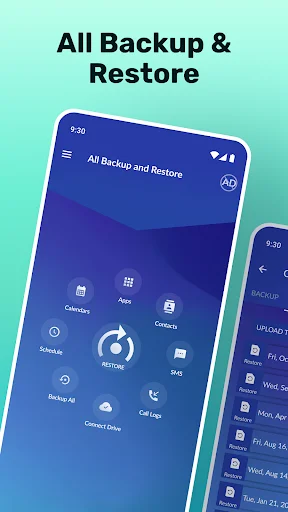
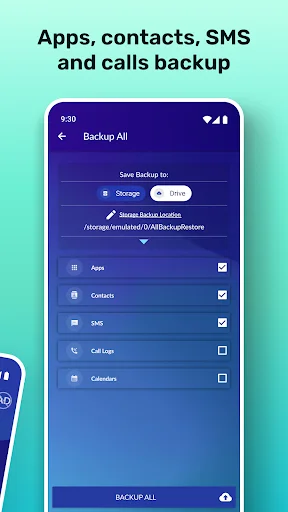
Back up your SMS, contacts, call logs, calendars, and apps all in one place. No need to juggle multiple tools or worry about missing important information during your next phone transition.
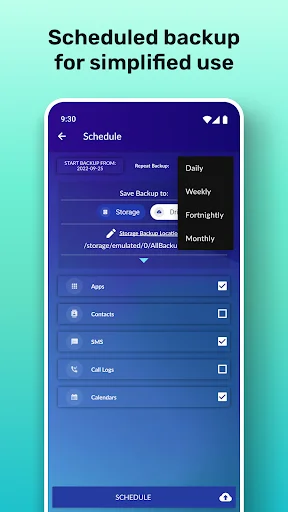
Schedule automatic backups daily, weekly, or monthly so you never have to remember to do it manually. Your data stays protected without any effort on your part.
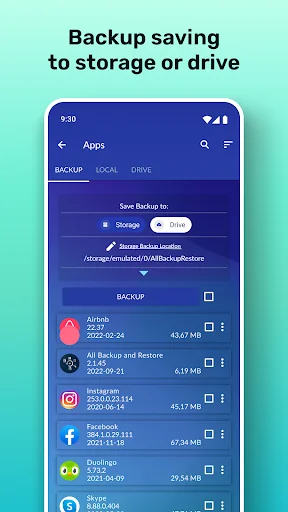
Store your backups locally on your device or safely in Google Drive. Having multiple storage options gives you control and extra peace of mind before a factory reset.
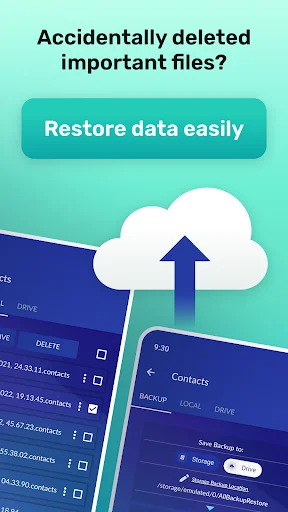
Moving to a new phone or recovering from a reset is simple. Just select your backup and restore your messages, contacts, and other data quickly to any Android device.
This Android backup and restore app helps you copy selected phone data before a reset or device change. Choose text messages, contacts, call logs, calendars, or apps, then save the backup to device storage or Google Drive.
Important: The SMS Backup & Restore app must be installed, and a backup must be created before contacts are deleted. It can restore only contacts previously backed up with the app.
The app restores content from backups you created; it is not a tool for finding messages or other data that were deleted before a backup existed.
It is for Android users preparing for a factory reset, moving text messages and contacts to a new phone, or keeping call logs and calendar entries in a separate backup.
For a recurring routine, schedule backups daily, weekly, every two weeks, or monthly instead of starting each one manually.
Choose one category for a focused backup or include several supported data types before a reset.
Select the data categories, choose a storage destination, and start the backup. Keep the backup files until you have confirmed that the data you need can be restored.
Before a factory reset, save to Google Drive or copy the local "AllBackupRestore" folder somewhere safe. A backup left only on storage erased by the reset will not be available afterward.
To restore, choose a saved backup and the content you want to return. If messages do not appear in your usual messaging app, restart the device. On a new phone, make the backup accessible there or use Wi-Fi migration.
Android background restrictions, battery optimization, task killers, or memory cleaners may interrupt scheduled backups. Allow background operation or add the app to the relevant allowlist when your device provides that setting.
Availability depends on the selected content, Android permissions, device software, and access to the storage destination. Google Drive backup requires a connection and access to the Drive account used.
App backup supports reinstalling saved apps; it does not guarantee that every app's private data, account session, settings, or paid content will also return. Some apps may require a new download or sign-in.
Restoration requires a usable backup. Before erasing a device, check the destination and confirm that the expected files are present. Results can vary with device settings, Android restrictions, storage, and file condition.
The app contains ads and offers in-app purchases. Some options may differ between free and Premium access.
App information and performance data, along with device or other identifiers, may be collected and shared with third parties. Data sent by the app is encrypted in transit, and the current data-safety information marks data deletion as unavailable.
SMS Backup & Restore brings message, contact, call-log, calendar, app, scheduled, and device-migration tools into one Android backup workflow for preparing a reset or moving supported data to another phone.
Permissions required: