Convert receipts, notes, and documents into professional PDF files right from your phone. Combine multiple pages, add custom headers, and share instantly – all without needing internet.
Create PDFs anywhere without using mobile data. Whether you're traveling, in a meeting, or somewhere without connection, you can still turn your photos into documents ready to save or share later.
Merge several photos into one organized PDF document. Perfect for multi-page assignments, expense reports, or keeping related paperwork together in the order you choose.
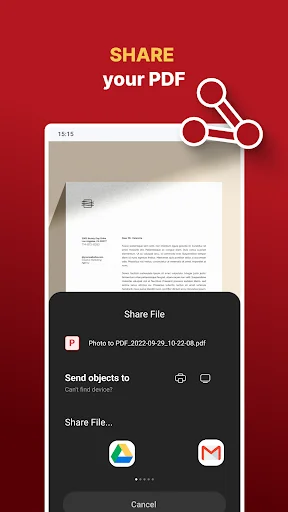
Send PDFs through email or messaging apps with custom file names and page headers. Preview before sharing to ensure everything looks perfect, then deliver documents that clients and colleagues expect.
Reduce file size while keeping your documents clear and readable. Send large multi-page PDFs quickly without worrying about attachment limits or slow uploads.
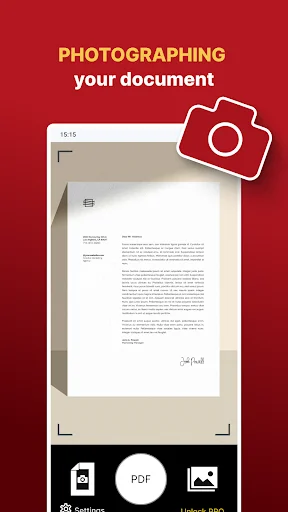
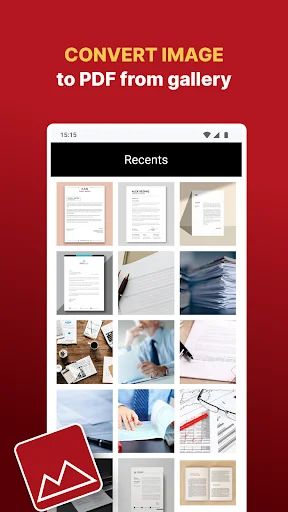
Turn photos of receipts, notes and documents into PDF files on your Android phone. This photo to PDF converter takes pictures from your camera or gallery and combines selected images into a document you can save or share.
Create a single-page receipt or bring several pages of an assignment together. PDF creation works offline, so you can prepare documents without a mobile data connection.
Use it when a teacher, colleague or client needs one PDF rather than a series of separate pictures. It also helps you keep photographed forms, handwritten notes and paperwork together for your own records.
Choose the images, give the file a recognizable name and add a page header when you need a label for a project or subject.
Take a photo in the app or open the gallery to select existing images. For a multi-page PDF, select pictures in the order you want them to appear. Use clear, readable photos so the photographed text is legible in the finished document.
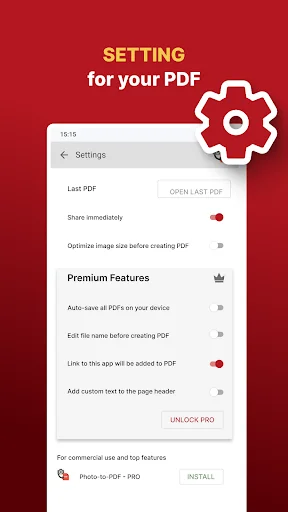
Open Settings to choose image-size optimization and the available saving, file-name and header options. Turn off Share immediately if you want to preview the PDF before sending it. Create the PDF, check the pages, then save it to your chosen location or open a sharing app.
Allow camera access when taking a new photo, or select the existing images you want to convert. The camera is not needed for the gallery route. Keep enough device storage for your source images and generated PDFs.
Offline use covers creating PDFs from your photos. Sending documents through email or online messaging requires a connection and the relevant sharing app. Reducing image size can affect visible detail; check the preview before sending important paperwork.
The app contains ads and offers in-app purchases. Some settings are Premium features; availability is shown in the app. Converting photographed pages creates a PDF of those images, rather than turning handwriting or printed text into editable text.
Photo to PDF Maker & Converter helps you bring photographed paperwork together in an ordered PDF, ready to keep on your device or send where it is needed.