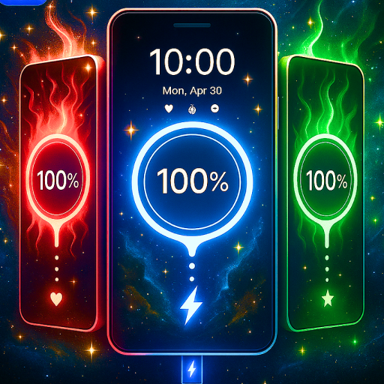
Turn your charging screen into a stunning visual experience with custom animations, themes, and battery alerts that match your personal style.
Choose from eye-catching neon rings, colorful graphics, and beautiful designs that automatically appear when you plug in your charger. No more boring charging screens – make every charge visually exciting.
Adjust colors, backgrounds, opacity, rotation, and screen position to match your phone's aesthetic perfectly. Create a charging display that feels like it was designed just for you.
Use your favorite animations or wallpapers to create a truly one-of-a-kind charging display. Express yourself with content that no one else has on their device.
Get notified when your battery reaches your chosen level or full charge, so you never overcharge. View detailed battery information including percentage, temperature, and health – all presented beautifully.
⚡ Personalize the screen you see while your Android phone charges. Choose a charging theme, adjust its appearance and display an animation when you connect your charger. Battery information and level alerts help you keep track of the charging session alongside the visual effects.
Explore neon rings, colorful graphics and wallpaper-style backgrounds, or use your own content for a custom look.
Use it when you want a different charging display on your home or lock screen. Match the colors and background to your phone's style, or position an animation where you want it on the screen.
If you also want to check charging progress, view the battery percentage and available battery details. Set an alert for a selected battery level or a full charge so you can notice when that level is reached.
Select a theme or add your own animation or wallpaper. Adjust the colors, background and placement, then turn on the charging animation. Connect your charger to see the selected display while the phone charges.
Choose a battery level if you want an alert, and allow app notifications so the notification can appear. You can also open the battery information view to check the readings available from your device.
Charging animations require the phone to be connected to a charger. Display behavior on the home and lock screen can vary with the device and Android settings. Restrictions on background activity can affect automatic operation, and disabled notifications can prevent notification alerts from appearing.
Battery readings depend on the information your device provides. Animations and level alerts do not make the battery charge faster or restore battery capacity. For custom content, provide access to the animation or wallpaper you choose to use.
The app contains ads and offers in-app purchases.
Battery Charging Animation brings a personalized charging display, battery information and level alerts together for a charging screen that fits your style.


