Create your ideal custom crosshair overlay with precise positioning, unlimited customization, and multiple profiles. Join 500,000+ gamers who've improved their accuracy and landed more headshots.
Your crosshair stays precisely centered on any device, from small phones to large tablets. No more guessing or adjusting – get consistent accuracy across all your games and devices.
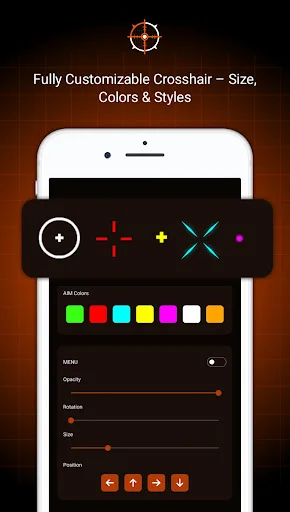
Control every detail – choose from multiple crosshair styles, adjust color for visibility, change size and transparency, and rotate to your preference. Create a crosshair that stands out in any game environment.
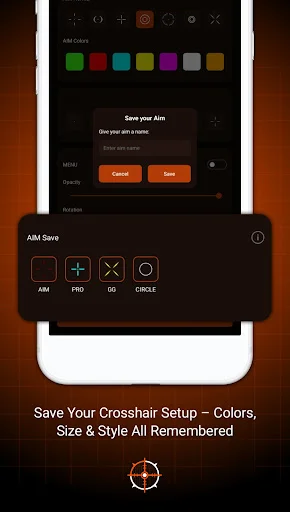
Switch between different games instantly with saved profiles. Set up unique crosshair configurations for each game you play and activate them with one tap – no repeated adjustments needed.
Gamers report up to 75% improvement in headshot accuracy using AimX. Get the visual reference you need to line up shots faster, aim more precisely, and climb the ranks in competitive play.
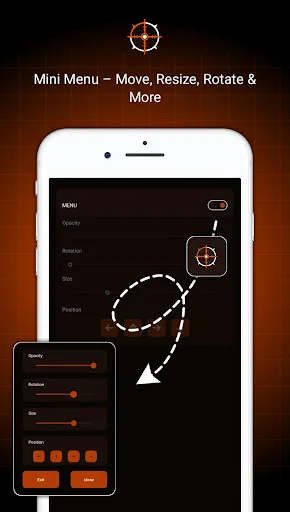
Create a personalized on-screen reference that stays visible over supported apps and games. Adjust its size, position, color, transparency, rotation, and other visual settings to match your preferred screen layout.
Alignment Overlay: Visual Aid gives you a simple way to place a customizable marker anywhere on your display. Use it as a visual reference for screen alignment, positioning, layouts, or other activities where a consistent overlay can be helpful.
The overlay is designed as a visual customization tool that appears above supported content. Move it around the display and adjust its appearance without changing the underlying app or game.
Alignment Overlay: Visual Aid can be useful whenever you want a consistent point of reference on the screen. Different saved configurations let you switch between layouts without rebuilding your settings each time.
Move the overlay to the center, edges, corners, or another preferred location. Fine positioning controls help you create a layout that remains consistent across supported screen activities.
Choose from available marker shapes and customize color, scale, transparency, rotation, and line dimensions. Bright, dark, or neon-style colors can help the visual guide remain noticeable against different backgrounds.
Create different profiles for different screen layouts or activities. Saved presets make it easier to return to a preferred position and appearance without adjusting every setting again.
The overlay can remain visible above supported content while you use your device. Availability and behavior may vary depending on Android permissions, device settings, and the app running underneath.
AimX: Custom Crosshair Pro brings customizable positioning, colors, transparency, profiles, and flexible overlay controls together in one lightweight visual utility.
We are not affiliated with, endorsed by, or connected to any specific game or game developer. AimX is designed as a general-purpose visual aid tool.